 AlgoRecon
Compare your live MT5 trades with your StrategyQuant backtest.
Spend less time matching trades by hand. AlgoRecon runs your StrategyQuant retest and compares it with your live MT5 trades, so you can focus on the differences. You can also check whether trades from your master MT5 account were copied correctly to your other accounts.
Free 14-day trial · No credit card · Windows 10/11
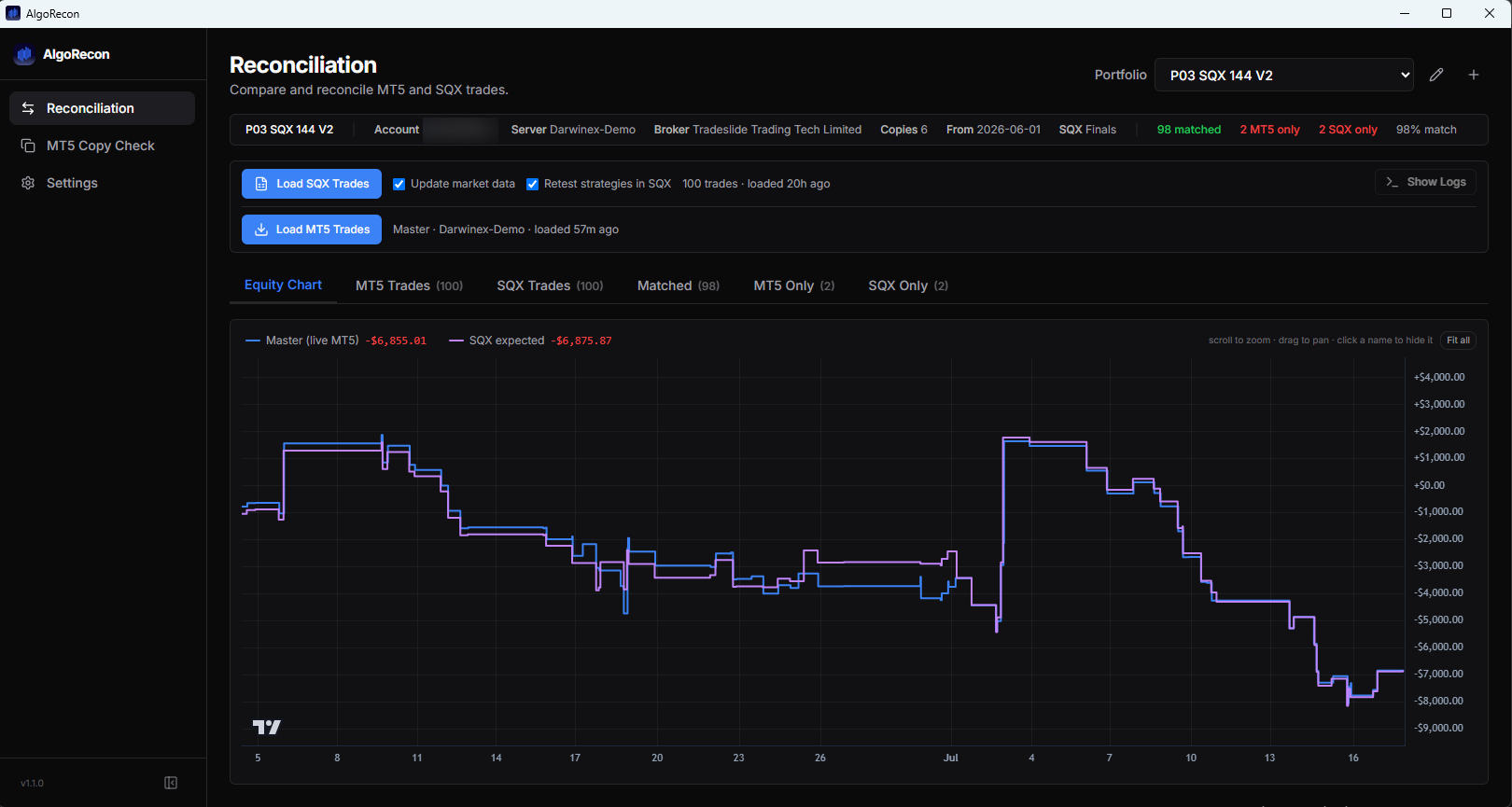
Example comparison in AlgoRecon.
What it does
Retest the same trading period
Choose your StrategyQuant retest project and the dates you want to check. AlgoRecon runs the retest and loads its trade results for comparison with MT5. Keep separate projects, dates and accounts for each portfolio.
See how to compare your backtest with live trades →Review trade differences
Review paired trades side by side, including differences in timing and P&L. Separate views show trades found only in MT5 or only in the retest, so you can choose which entries to investigate.
Compare the equity curves
Compare expected and live performance at a glance, and spot where they diverge. For copier setups, compare each destination account with the master.
Check for gaps in backtest data
Missing price history can affect a retest. AlgoRecon flags detected gaps in StrategyQuant data and shows which MT5-only trades fall within them. Review the affected dates before treating an unmatched trade as an execution problem.
Check your copier’s results
Connect your master and destination MT5 accounts. Compare their closed trades, review unmatched entries, and inspect differences in timing, volume and fills. Copy Check includes symbol and clock adjustments to help compare accounts at different brokers.
See how to check your copied trades →Local data, privacy controls
Your imported trades and strategy data are stored locally, with no cloud sync. See our Privacy Policy for details about diagnostics and data handling.
See it in action
Inspect trades side by side
Review paired MT5 and StrategyQuant trades side by side, with the P&L difference for each pair. Investigate unmatched records separately.
Compare your destination accounts
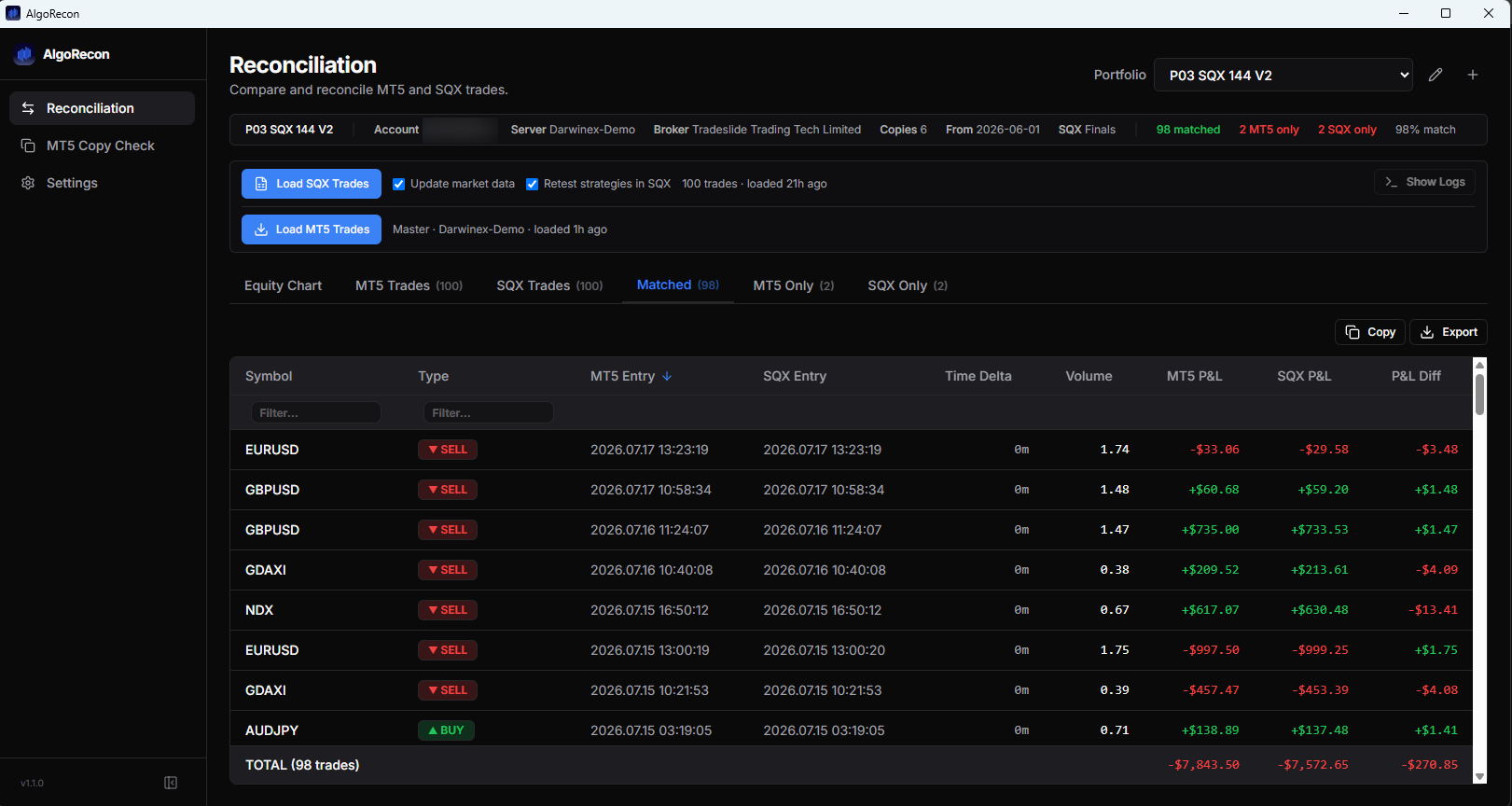
Compare each destination with the master. Review match rates, unmatched trades and equity curves, then open an account for a closer look.
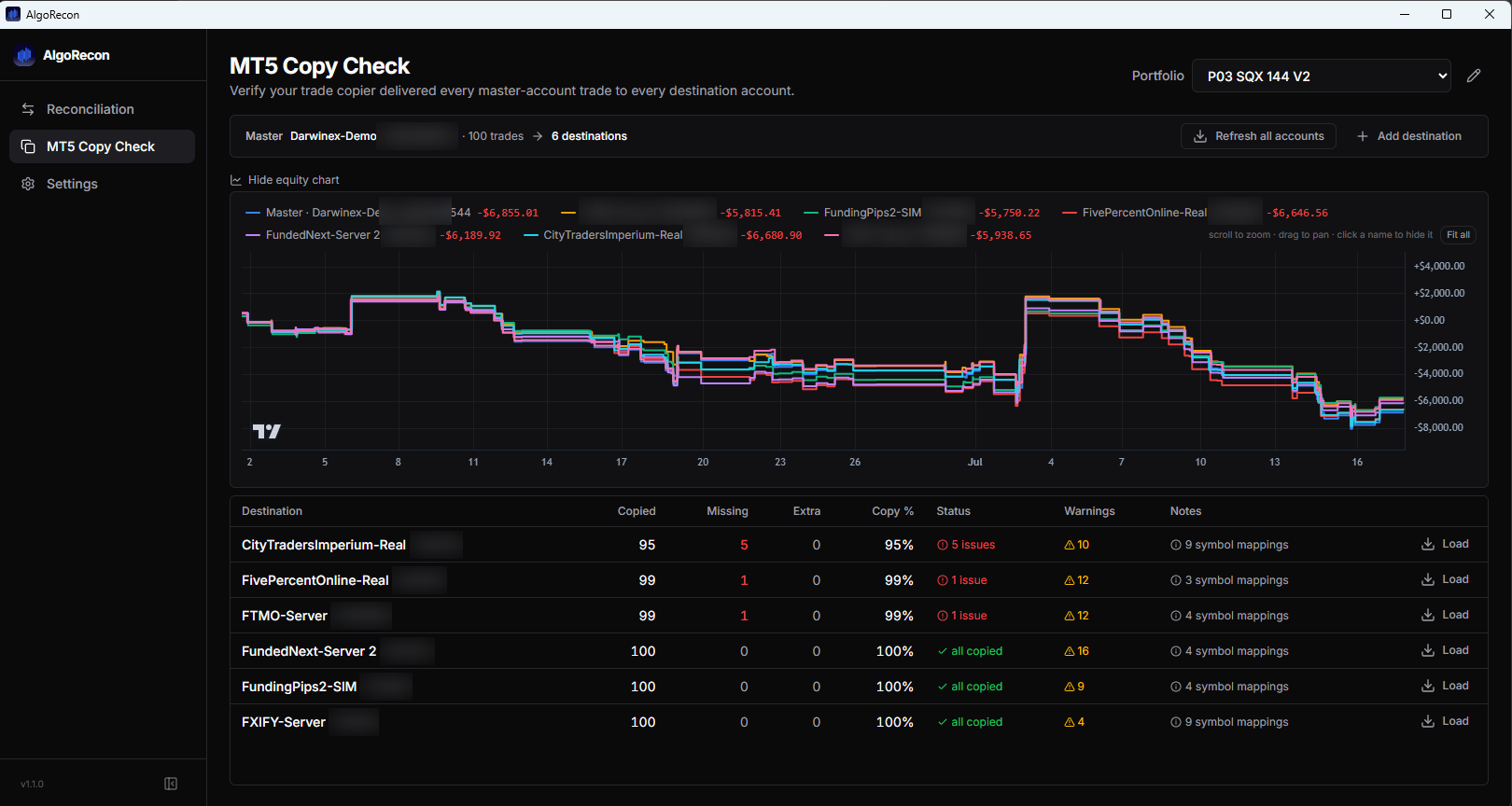
Example comparison of closed trades in AlgoRecon.
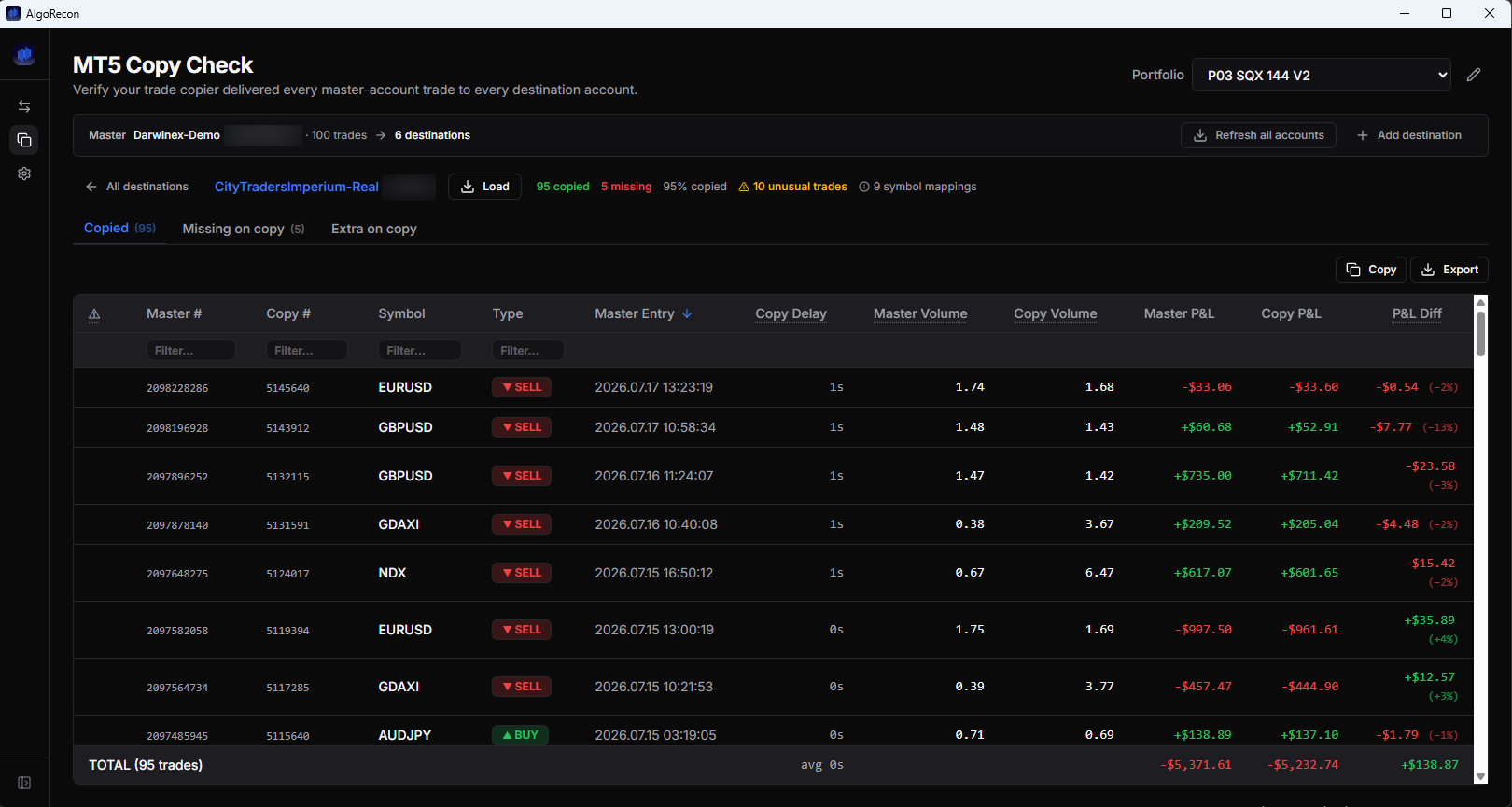
Review a destination’s trade history
Open a destination account to review paired trades, timing differences, master and destination volumes, and P&L differences.
Compare prices, timing and costs
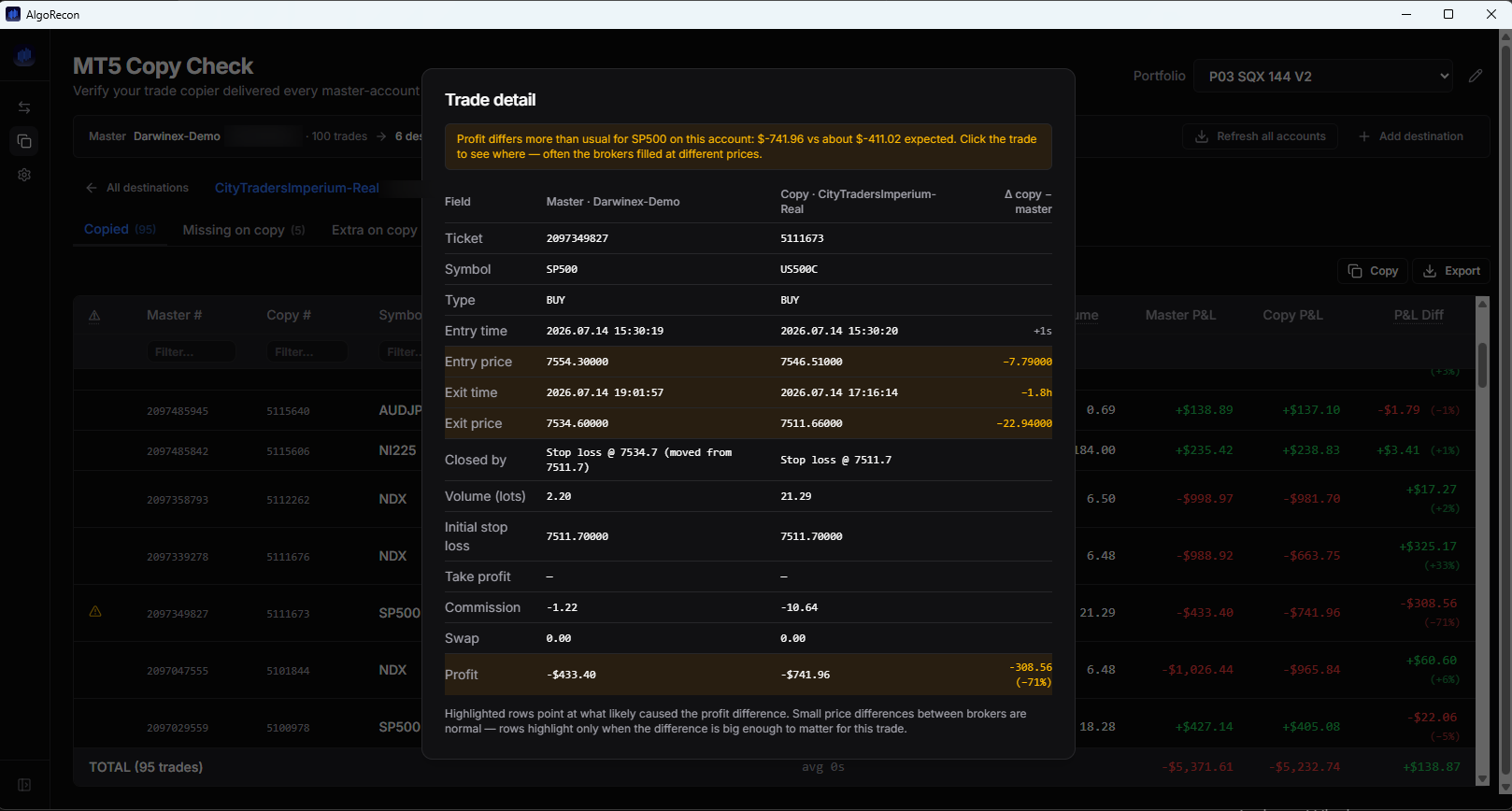
Open a paired trade to compare entry and exit prices, timestamps, volume and costs. Highlighted differences help you investigate the P&L gap alongside your account history and copier logs.
Who it's for
Built for traders running StrategyQuant strategies on MT5, and for traders checking closed trades across copier accounts. Start with one account and a recent trading period. For SQX comparisons, run AlgoRecon on the Windows machine where you already use StrategyQuant X. AlgoRecon analyses your trading results - it never places, modifies or copies trades, and provides no investment advice.
How retests work with your StrategyQuant project
Download the free trialWindows 10/11 · .exe installer · your 14-day trial starts in-app · no credit card