 AlgoRecon
FOR TRADERS COPYING BETWEEN MT5 ACCOUNTS
Check what your MT5 copier actually copied.
Spend less time checking copied trades by hand. Compare closed trades across your MT5 accounts and review unmatched entries, delays and volume differences. Keep using your existing copier.
Trade analysis only. AlgoRecon never places, modifies or copies trades.
See which accounts need a closer look
Compare the results for each destination account, then inspect unmatched trades, delays and volume differences. Check anything unexpected against your copier log.
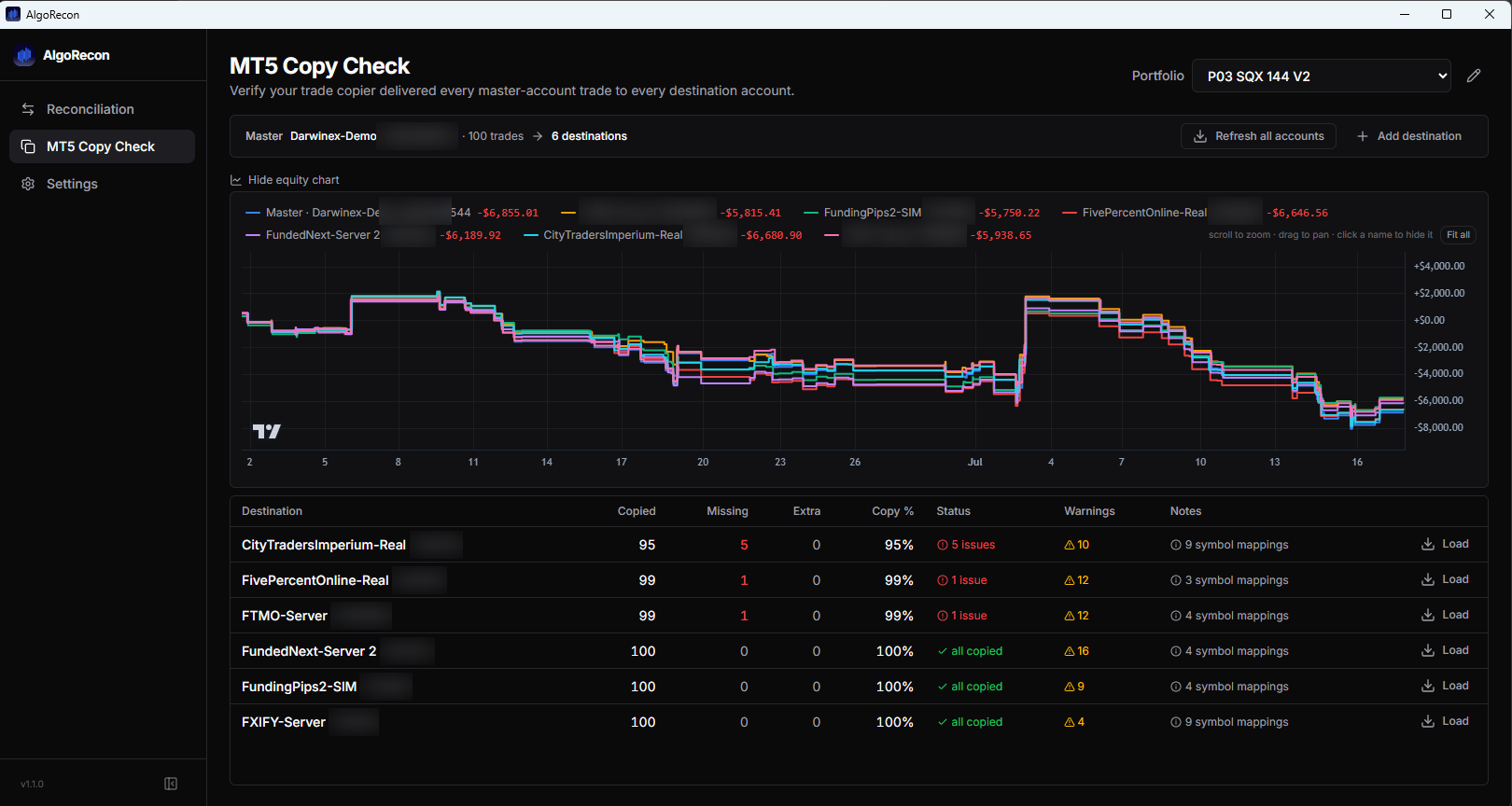
Compare destinations
See paired and unmatched closed trades for each destination account.
Inspect timing differences
Review copy delays and drill into the trades behind an account’s results.
Use your existing copier
AlgoRecon checks trade history. It never places, modifies or copies trades.
Your first comparison
- 01
Connect your MT5 accounts
Install on Windows and add your master and destination accounts.
- 02
Choose a recent trading window
Start with a period containing closed trades on both sides, then run Copy Check.
- 03
Inspect an unmatched trade
Inspect an unmatched trade against your copier log and account history before drawing a conclusion.
How to read the results
Copy Check compares closed trade history, not open positions or real-time copier health. It pairs trades within a five-minute window and allows for different lot sizes. Symbol and clock adjustments help compare brokers. A pair is inferred from the records, rather than confirmed by a copier’s source ticket; check unmatched entries against your copier logs.
Trade records are stored locally. Licensing uses online services; usage statistics and crash reports are on by default with opt-outs. See the Privacy Policy for details.
AlgoRecon provides no investment advice and does not guarantee trading performance. StrategyQuant and MetaTrader are third-party products; AlgoRecon is independent.
Want help with your first check?
Need help getting started? Tell us which accounts and trades you want to compare.
Email supportOpens your email app. Or write to [email protected]. Never send passwords.