 AlgoRecon
FOR STRATEGYQUANT + MT5 TRADERS
Compare your live trades with your backtest.
Your equity curves differ. Start with the trades behind the gap. AlgoRecon brings your StrategyQuant retest and MT5 history together so you can investigate what changed.
See an illustrated walkthrough →
Trade analysis only. AlgoRecon never places, modifies or copies trades.
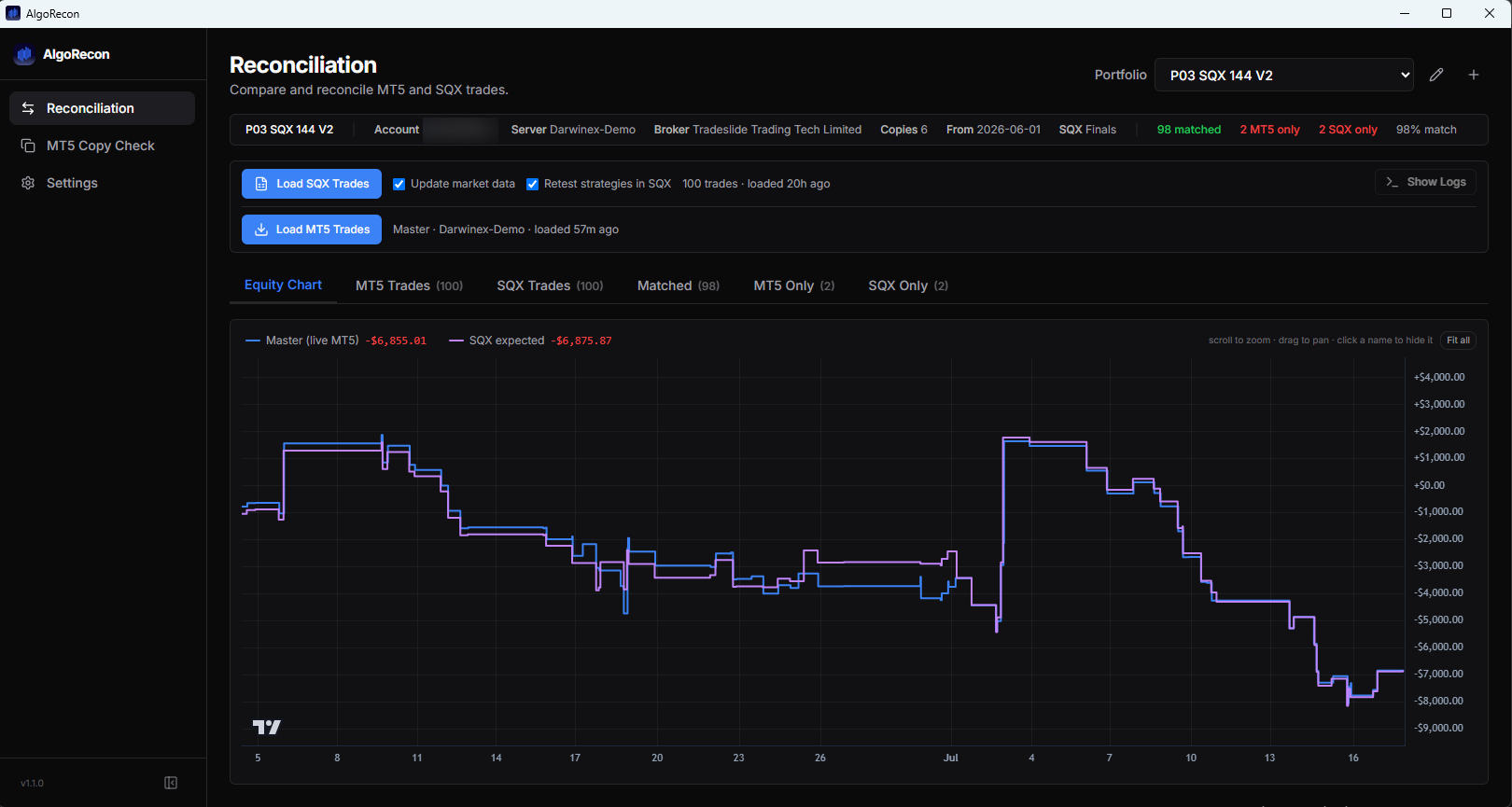
See both sides
Review matched trades, MT5-only trades and backtest-only trades in one comparison.
Investigate the gap
Compare entry timing and values, then inspect the underlying trade details.
Check again next week
Repeat the comparison over a new live trading window to see whether the same issue recurs.
Start with one real comparison
- 01
Connect your MT5 account
Install on Windows and add the account you want to check. Use an investor/read-only password where available.
- 02
Choose your StrategyQuant portfolio
Use your retest project, or re-read exports from a previous AlgoRecon run. Review the retest settings before running it.
- 03
Inspect one real trading window
Start with a recent period that has closed trades. Review a few unmatched entries against your own records.
What this check can tell you
A difference is a starting point for investigation, not proof of a missed trade. Matching uses a two-hour window and closest-time-first pairing; each trade matches once. Data gaps, settings and execution differences can affect the comparison.
Retests set project backtest dates and run the selected retest step or the project’s configured steps, which can clear databanks and generate exports. Market-data updates change history shared by projects in the installation. Both options can be turned off to re-read exports from a previous AlgoRecon run instead. Read how retests work.
Trade records are stored locally. Licensing uses online services; usage statistics and crash reports are on by default with opt-outs. See the Privacy Policy for details.
AlgoRecon provides no investment advice and does not guarantee trading performance. StrategyQuant and MetaTrader are third-party products; AlgoRecon is independent.
Want help with your first check?
Tell Jonathan what you run and what you want to compare. Email is enough; a call is optional.
Email Jonathan for helpOpens your email app. Or write to [email protected]. Never send passwords.