 AlgoRecon
FOR TRADERS COPYING BETWEEN MT5 ACCOUNTS
Find differences between master and copied trades.
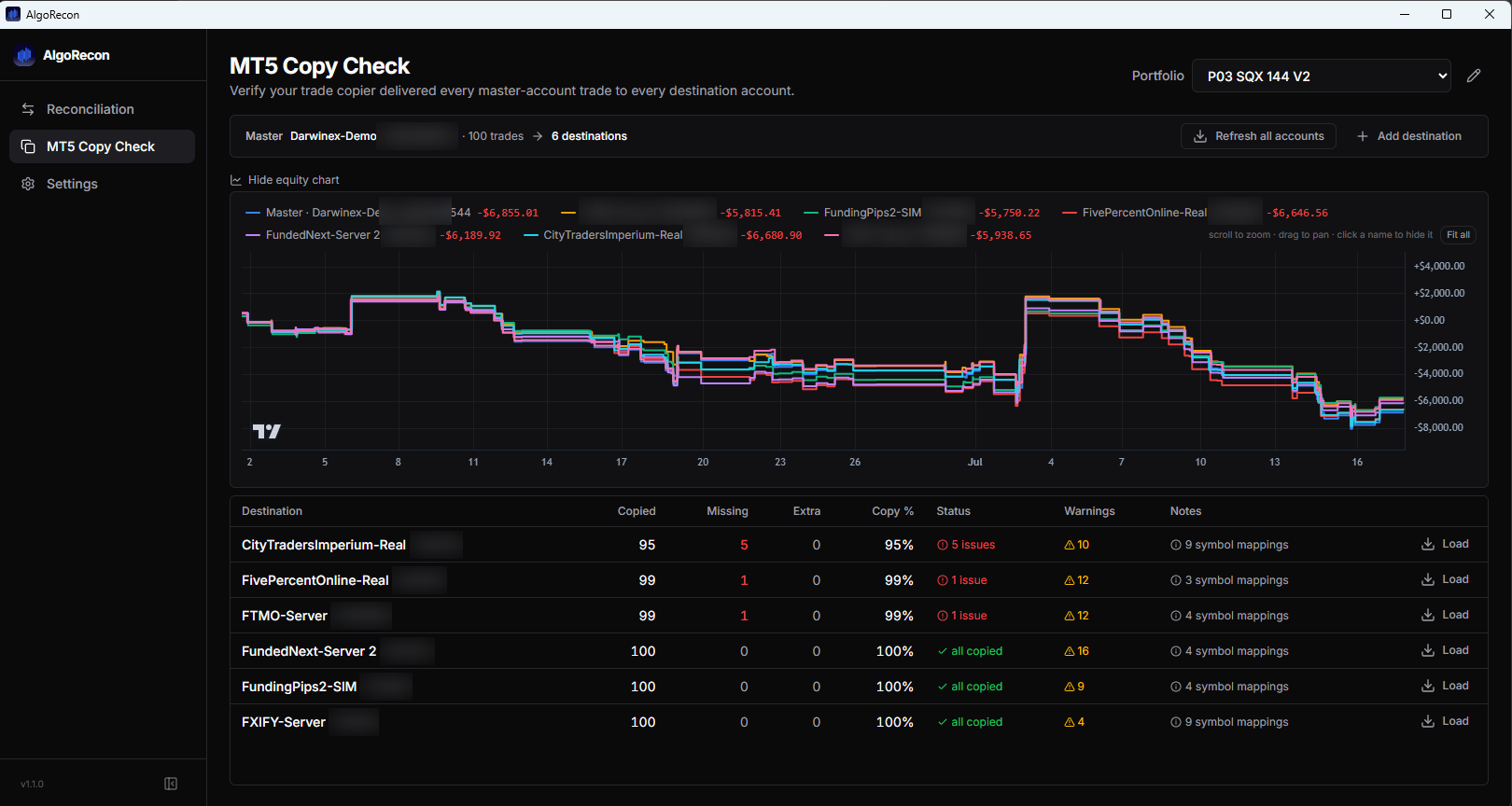
Your copier says it is running. Check the resulting trade history. AlgoRecon compares your master account with its MT5 destinations and highlights differences worth investigating.
See an illustrated walkthrough →
Trade analysis only. AlgoRecon never places, modifies or copies trades.
Compare destinations
See matched, missing and extra closed trades for each destination account.
Inspect timing differences
Review copy delays and drill into the trades behind an account’s results.
Use your existing copier
AlgoRecon checks trade history. It never places, modifies or copies trades.
Start with one real comparison
- 01
Connect your MT5 accounts
Install on Windows and add your master and destination accounts. Use investor/read-only passwords where available.
- 02
Choose a recent trading window
Start with a period containing closed trades on both sides, then run Copy Check.
- 03
Review a possible mismatch
Inspect a missing or extra trade against your copier log and account history before drawing a conclusion.
What this check can tell you
Copy Check compares closed trade history, not open positions or real-time copier health. It uses a five-minute matching window; lot size is ignored for matching because copiers can scale trades. Symbol and clock adjustments help compare brokers, but a match is not proof of source-ticket linkage. Missing and extra entries need investigation.
Trade records are stored locally. Licensing uses online services; usage statistics and crash reports are on by default with opt-outs. See the Privacy Policy for details.
AlgoRecon provides no investment advice and does not guarantee trading performance. StrategyQuant and MetaTrader are third-party products; AlgoRecon is independent.
Want help with your first check?
Tell Jonathan what you run and what you want to compare. Email is enough; a call is optional.
Email Jonathan for helpOpens your email app. Or write to [email protected]. Never send passwords.