 AlgoRecon
ILLUSTRATED PRODUCT WALKTHROUGH
From different curves
to a trade you can inspect.
A comparison helps you decide what to investigate. Follow this example, then try one recent trading window with your own accounts.
These are historical AlgoRecon v1.1.0 screenshots, not a live session or a customer case study. The current interface may differ. Returns and counts are examples, not expected results.
01 / Compare the same period
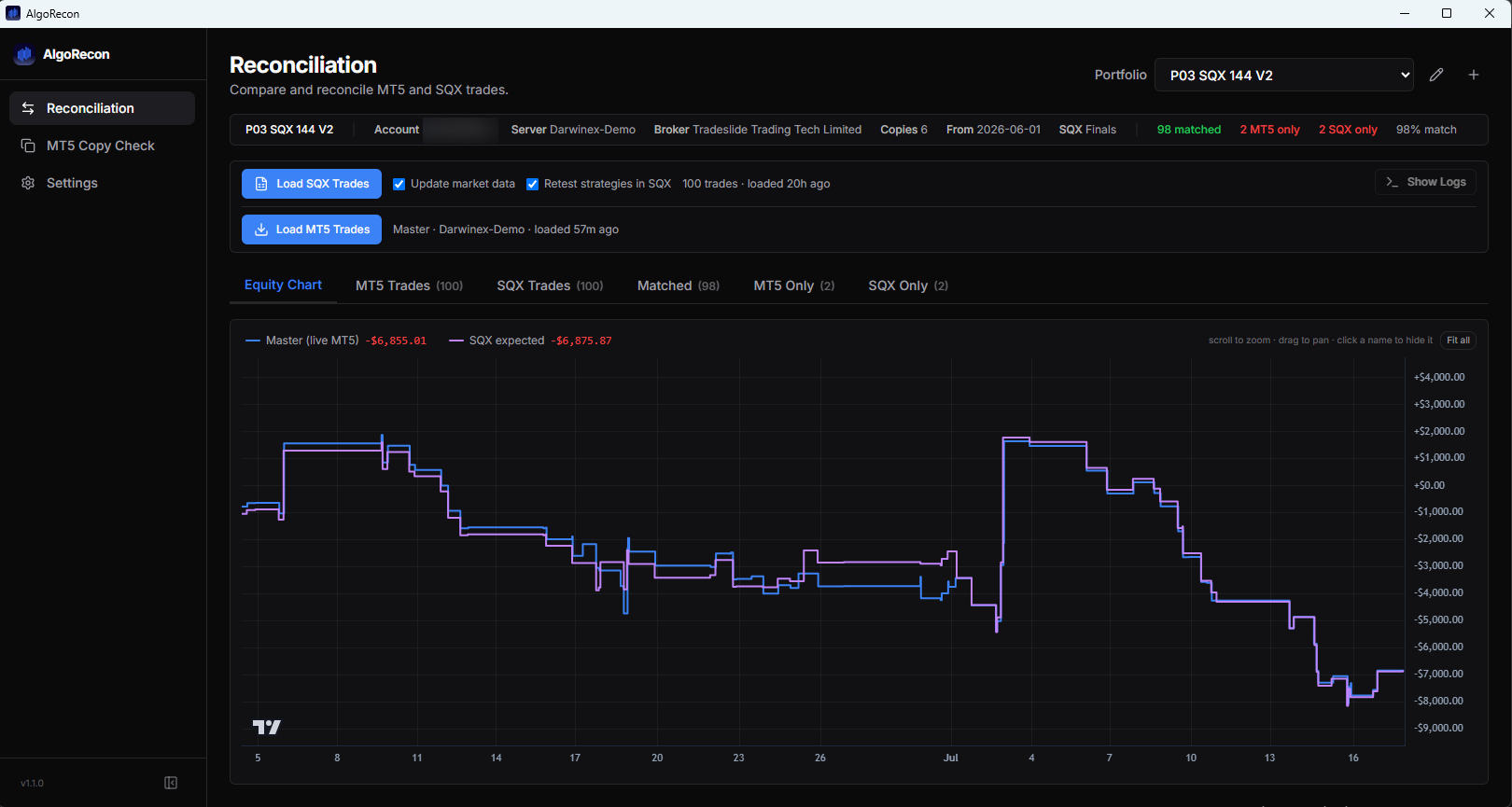
Start with the overall result
The example has 98 matched trades, two MT5-only trades and two SQX-only trades. Its curves differ. That tells you where to look; it does not establish that the live account missed a trade.
02 / Inspect individual trades
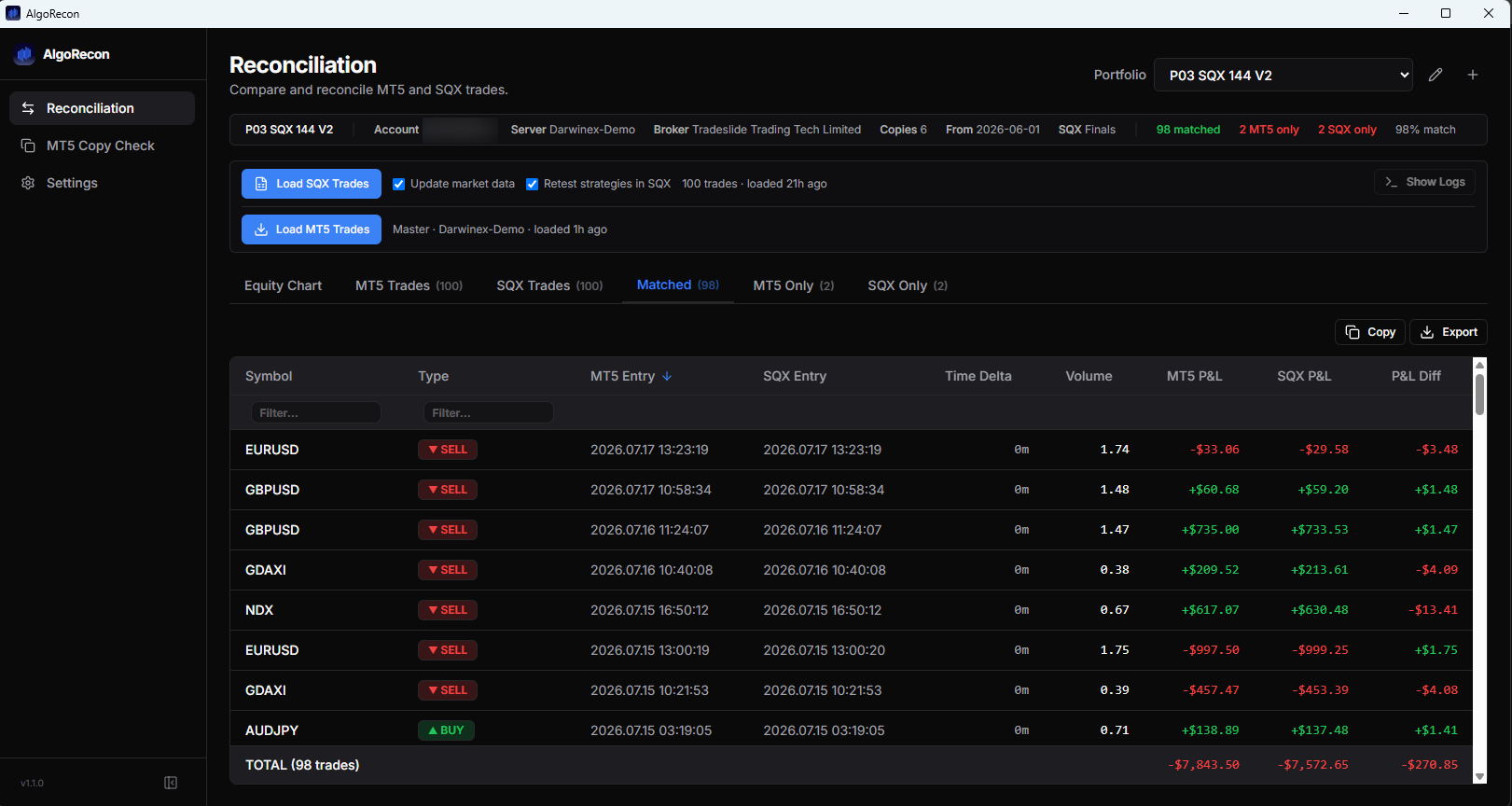
Matching does not mean identical results
In this matched-trades view, entries can pair even when their P&L differs. Compare timing and values, and check your account records, retest settings and market data before deciding what caused a difference.
03 / Try a useful first check
Use a recent period with closed trades
Install on Windows 10/11 and connect an MT5 account, preferably using an investor/read-only password. For SQX comparisons, StrategyQuant X must be on the same machine; close its GUI during retests. Retests can change project settings and shared market data, so review the settings first.
Already using a copier? Copy Check compares closed master and destination histories. It does not watch open positions, execute trades or guarantee delivery. You need login access to every account you compare.
14-day free trial starts inside the app. No card and no automatic charge. Paid subscriptions are separate.
Need help? Email [email protected]. Do not send passwords.
AlgoRecon never places, modifies or copies trades and gives no investment advice. Broker and platform names in these examples are third-party trademarks; no affiliation or endorsement is implied. Example results do not assess any named firm’s service. Read the Privacy Policy for data handling and default-on optional telemetry.